Every story at a glance
Every story is a card. The filters show where everything stands, and the book takes shape at the top of the screen as authors approve their final text.
When a new story arrives, you get an email the moment it's confirmed.
From open call to finished book, on one screen. Your call page and submission form live on your own website; your stories, decisions, author emails and book assembly live on one Desk. You read, decide and edit. The Desk handles everything in between.
Decisions once, consistency throughout your series.
An anthology is a long chain of small steps. The Desk carries each one, and always says whose move it is.
Story, answers and the author agreement, on your own site.
Then gets a signed, timestamped receipt.
Accept or decline on the Desk; the email goes out when you press Send.
Final story, photo, bio and links, on a private page.
In Word, straight from the Desk.
And gets a signed approval receipt.
Order and profiles first, then one manuscript in your layout.
Once the cover and the title pages are checked.
EPUB, print PDF and digital PDF, ready for KDP.
Each author downloads the digital PDF before release.
Every story is a card. The filters show where everything stands, and the book takes shape at the top of the screen as authors approve their final text.
When a new story arrives, you get an email the moment it's confirmed.
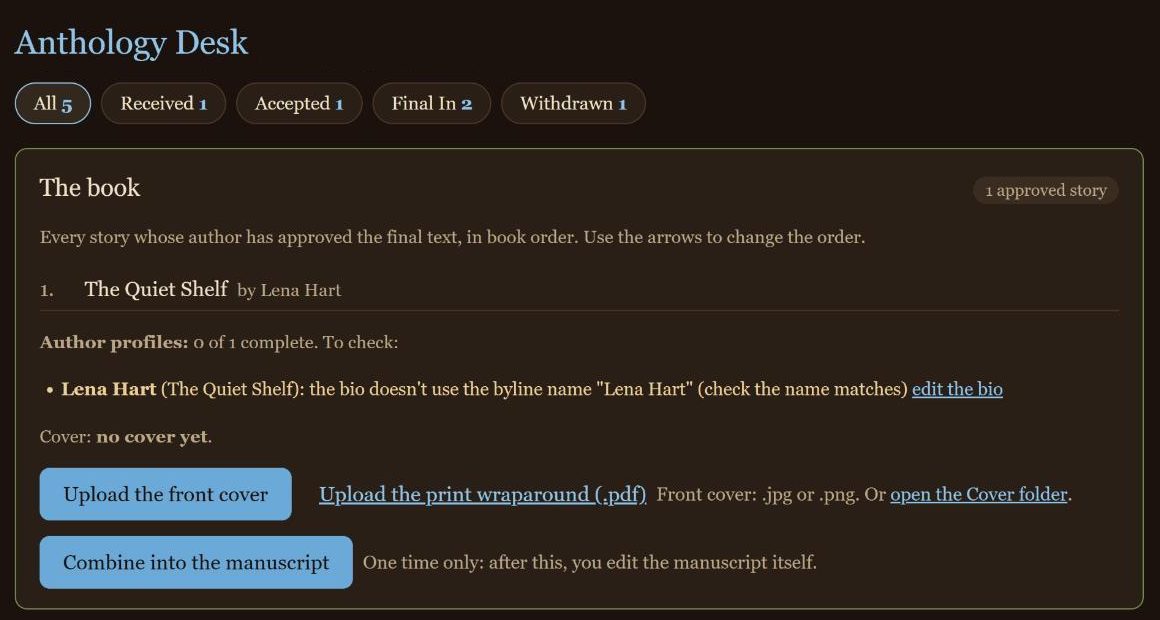
Each card says what happens next and who it's waiting on. Accept or decline with one click, then send the email from a preview of the exact message, in wording you approved before the call opened.
Nothing goes out until you press Send.
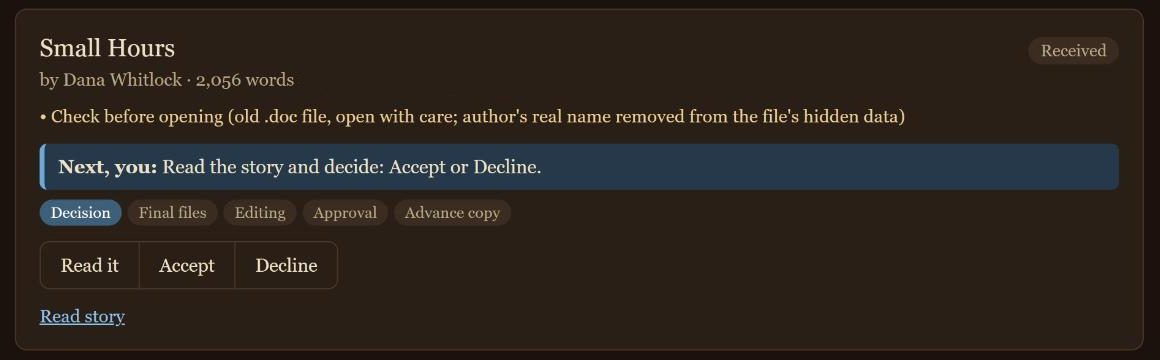
A missing bio, one that's too long or too short, or one that uses a different name from the byline is flagged, and the flag opens an editor right there, with a live word count.
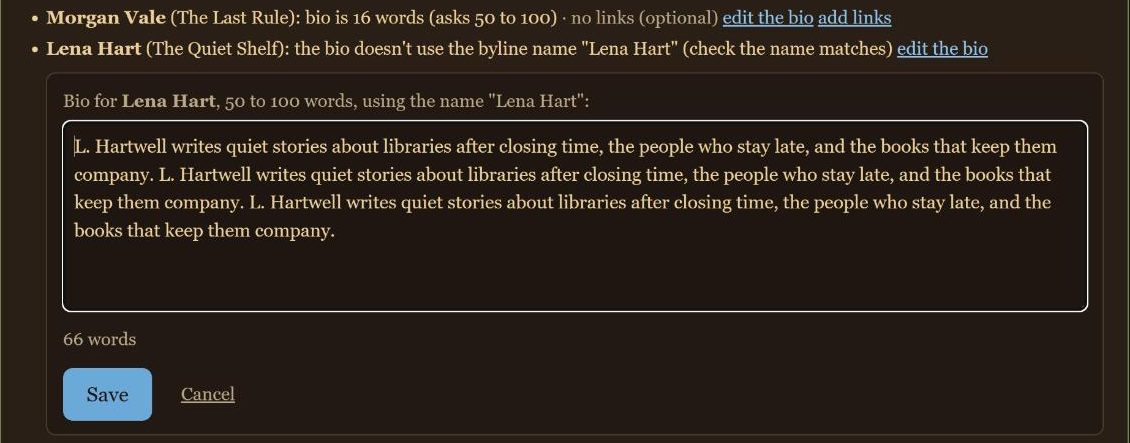
Put the approved stories in order with the arrows. Before combining, you confirm the order and the author profiles, while they can still be changed on the Desk.
Then one button builds the manuscript in your layout: title page, copyright, contents, the stories and the author biographies. No words are changed.
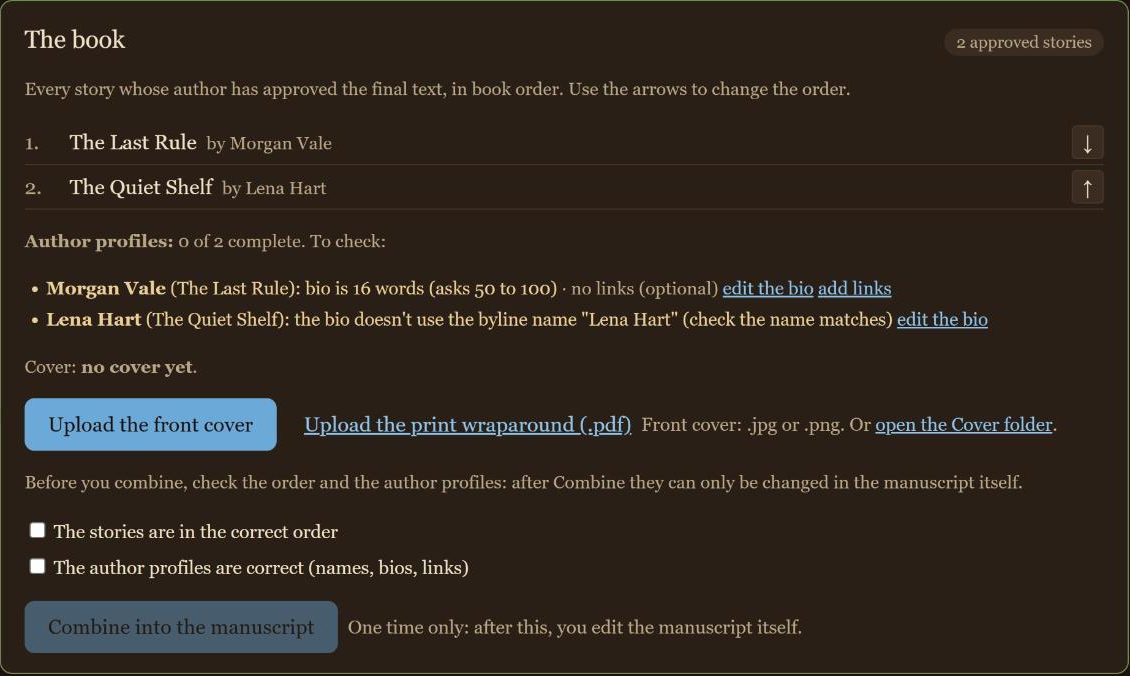
Covers are checked against Amazon KDP's size rules as you upload them. A last checklist confirms the cover and the title pages, then Veridian builds your EPUB, print PDF and digital PDF and delivers them to your Desk.

Readers notice when Volume Three doesn't match Volume One. Your design is chosen once, on your first book, from a short design sheet, and every volume after it is built the same way.
Six heading styles, seven body styles and a few small details, each shown as a sample story opening. Pick a letter for each and you're done.
Every font is open-licensed for print and ebooks, and covers the accented letters for authors writing in German and Spanish.
Download the design sheet (PDF)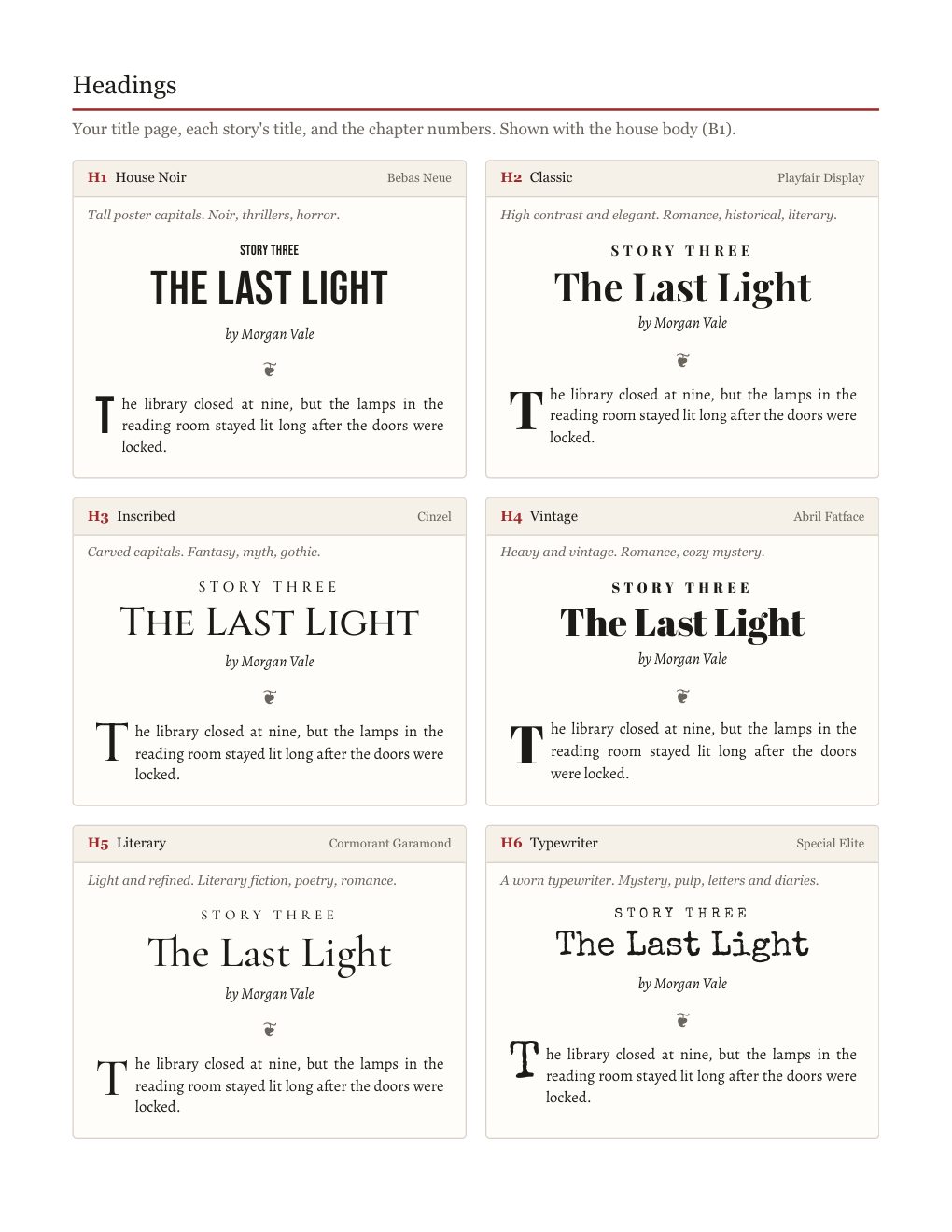
Two confidentiality agreements come standard: one from Veridian to you, and one from you and Veridian to every author who submits. Anything that reaches our servers is used only for your anthology. It is never sold, shared, or used for marketing or mailing lists.
Every submission and approval produces a signed, timestamped PDF tied to the exact agreement the author signed.
Every submission is confirmed by email, so nobody can submit in someone else's name. Unconfirmed ones are deleted after 7 days.
Reminders, reply flags, withdrawals and cleanup happen without you lifting a finger.
Encrypted archives under your own key. Receipts and sent emails are kept for 7 years.
Stories live in your own Microsoft 365 library. Only the accounts you name can open the Desk.
A full security review before launch, and weekly after that, with every finding fixed and tested.
$300 setup · $100 per book Setup covers your call page and form, the Desk, the anthology mailbox, the author agreements, your email templates and backups, with two Veridian email addresses and web-only Microsoft Office. Each book covers the EPUB, print PDF and digital PDF. Your first book includes designing your book's look; every volume after that reuses it.
It shows the whole chain working, from open call to finished files. After that, the process takes care of itself.
Your own you@veridianstudios.com address and an anthology mailbox named for your anthology, such as lanternanthology@veridianstudios.com, plus Word, Excel and Outlook in your browser. The addresses sit on Veridian's domain because Veridian runs the service for you; they don't make you part of Veridian Studios. Your anthology is yours, and Veridian works for you as a subcontractor.
The Desk runs on websites hosted by Veridian Studios. Not with us yet? We can move your site first.
Fifteen pages, from the author's first click to the finished book files.
Open the PDF →Every heading and body choice for your book, side by side.
Open the PDF →Screens show the real Desk with made-up stories and authors.